What Is Real-Time Collaboration?
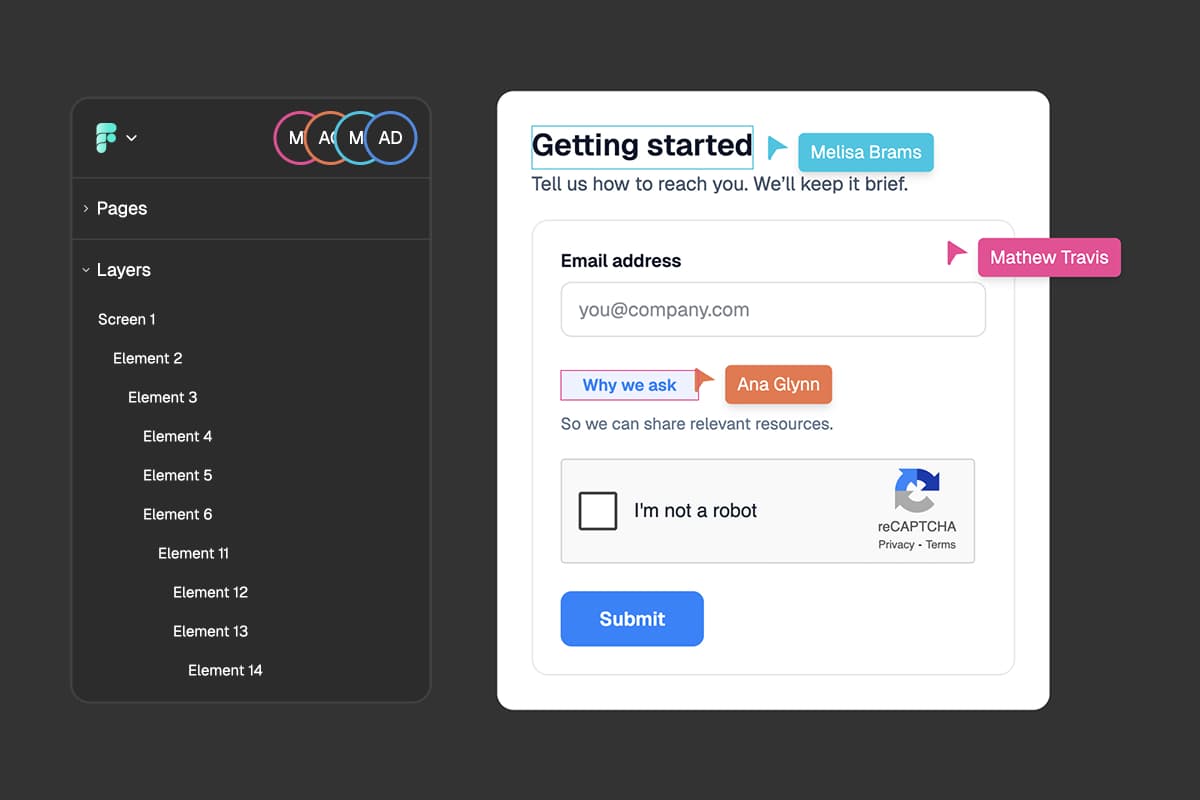
Real-time collaboration in FigForm means you and your team can work on the same form at the same time - no waiting, no version conflicts, no confusion about who changed what. When someone on your team opens the same form, you see their cursor moving, you see what they're selecting, and everything updates instantly.
Think of it like working on the same piece of paper at the same desk, except your desk can stretch across continents. Whether your team is in the same office or scattered across different time zones, real-time collaboration makes it feel like you're sitting right next to each other.
For marketing agencies managing multiple client projects, this means faster iteration, immediate feedback, and smoother collaboration between designers, copywriters, and account managers.
How Real-Time Collaboration Works
When you open the Builder page for any form in FigForm, something happens behind the scenes that makes collaboration possible.
The Connection
As soon as the Builder loads, FigForm establishes a live connection to our servers. Think of it like opening a phone line - information can flow both ways instantly. This connection stays open as long as you're working on the form, keeping everything in sync.
You don't need to do anything special to enable this. It happens automatically every time you open a form.
What Gets Shared
Through this live connection, FigForm shares real-time information between everyone working on the same form:
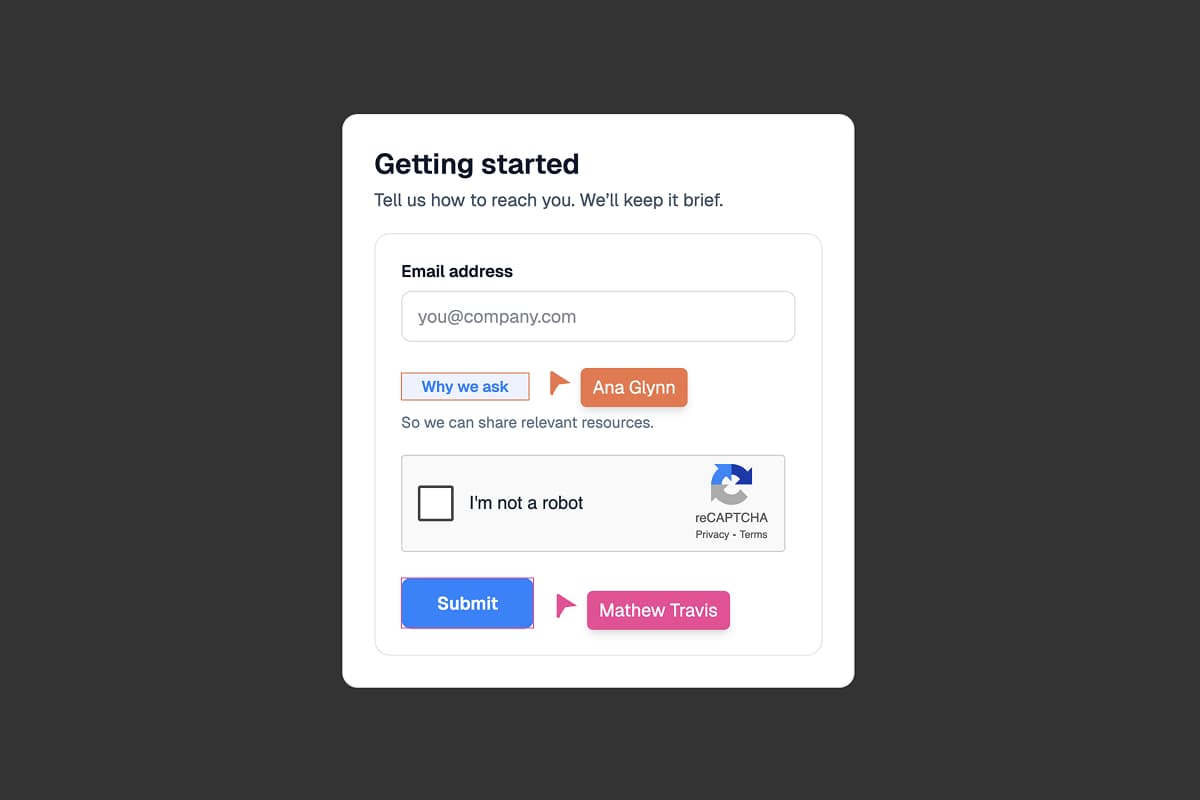
Cursor location - Where each person's mouse is positioned on the canvas. This helps you see exactly where your teammates are working and avoid stepping on each other's toes.
Selected elements - Which form fields, buttons, or containers each person has selected. When someone selects a text input to edit it, everyone else sees that selection highlighted in that person's color.
Active presence - Who's currently in the form. The moment someone opens the form, they appear in the active users list. When they close it or navigate away, they disappear.
All of this happens in real-time, with no delay. Move your cursor, and your teammate sees it move. Select an element, and they see it selected. It's instant.
Ready to design a form?
Start creating stunning forms using an intuitive editor with a free account.
Start designingVisual Indicators: Who's Working Where
Real-time collaboration only works well when you can easily see what everyone else is doing. FigForm uses color coding to make this crystal clear.
Color-Coded Users
Every person working on the form gets assigned a unique color. Your cursor, your selections, and your presence indicator all use this color. This makes it easy to differentiate between users at a glance.
When you see a teal cursor moving across the canvas, you know instantly that it's Sarah. When you see a purple selection highlight around the submit button, you know instantly that Alex is working on it.
These colors are automatically assigned when you join the form, and they remain consistent throughout your session. Everyone sees the same colors - the person who appears teal to you also appears teal to everyone else.
The Active Users List
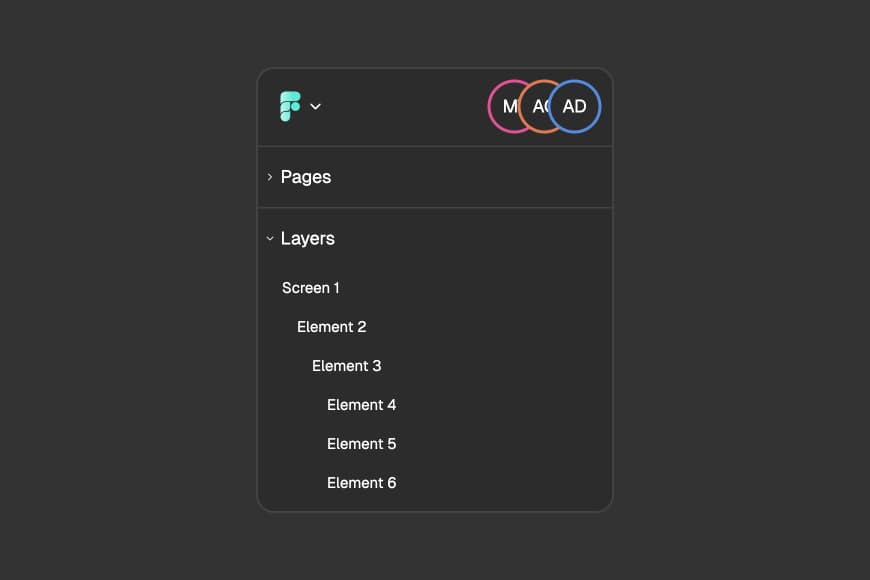
At the top of the left Builder panel, you'll see a list of currently active users in the form. This list shows:
- Profile indicators - Each person's initials or profile picture in their assigned color
- Names - Who's currently working in the form
- Color coding - Visual confirmation of each person's color
This list updates in real-time. When someone joins, they appear immediately. When someone leaves, they disappear within seconds. It's your quick reference for who's collaborating with you right now.
Getting Started with Real-Time Collaboration
Ready to collaborate with your team? Here's how to get started.
Step 1: Invite People to Your Workspace
Before anyone can collaborate with you on forms, they need to be part of your FigForm workspace. If you haven't already invited your team members:
- Open your workspace settings
- Navigate to the team members section
- Enter the email addresses of the people you want to invite
- Send the invitations
Once they accept and join your workspace, they'll have access to all the forms in that workspace.
For a detailed guide on inviting and managing team members, check out our team members help article.
Step 2: Open the Same Form
Real-time collaboration happens when multiple people open the same form's Builder page at the same time.
To collaborate:
- Navigate to the form you want to work on together
- Click "Edit" to open the Builder
- Share the form URL with your teammates or tell them which form to open
- When they open the same form, you'll see them appear in the active users list
That's it. No special collaboration mode to enable, no permissions to configure. Just open the form and start working.
Ready to design a form?
Start creating stunning forms using an intuitive editor with a free account.
Start designingFrequently Asked Questions
Do I need a paid plan to use real-time collaboration?
Real-time collaboration works on all FigForm plans, including the free plan. However, team member limits apply - free plans support only the workspace owner, while paid plans allow inviting team members.
Can I see what changes other people are making?
Yes. When someone makes a change - moving an element, changing text, adjusting colors - you see that change happen in real-time on your screen. Everyone's view stays synchronized.
What happens if two people edit the same thing at the same time?
FigForm handles conflicts automatically. The last change takes precedence. However, selection indicators help prevent this by showing you when someone else is actively editing an element.
Does real-time collaboration work on slow internet connections?
Real-time collaboration requires a stable internet connection. On slower connections, you might notice a slight delay in cursor movements and updates, but the collaboration still works. If the connection drops completely, FigForm will attempt to reconnect automatically.
Can I turn off real-time collaboration if I want to work alone?
Real-time collaboration is always active when multiple people have the same form open. If you prefer to work alone, simply work during times when other team members aren't in the form, or create a duplicate form for solo work.
Start Collaborating Today
Real-time collaboration makes building forms a team sport instead of a solo activity. See where your teammates are working, watch changes happen instantly, and build forms together without friction or confusion.
Whether you're an agency coordinating client work, a marketing team building campaigns, or a product team collecting feedback, real-time collaboration makes working together seamless.
Ready to collaborate with your team?
Sign up for free and start building forms together in real-time.